MacOS Touch ID for Sudo with TMUX and DisplayLink
· 2 min readThis is an out of place post but I figured if setting up Touch ID with sudo on my MacBook Pro stumped me that it would cause others issues and worth a quick write up. Also worth having around when I get a new MacBook Pro in the future.
So to start, I use a MacBook Pro M2 Pro for my daily driver machine at work. It is the closest I can get to a Linux machine in the office. I end up using sudo frequently enough that I liked the idea of Touch ID rather than type a password in a dialog. I encountered a couple of hiccups along the way with tmux, iTerm2 and DisplayLink that had to be fixed.
How to setup
I am copying the intent from both the sixcolors and Stackoverflow posts for the MacOS Sonoma. So read those posts below for more details.
cd /etc/pam.d
sed "s/^#auth/auth/" /etc/pam.d/sudo_local.template | sudo tee /etc/pam.d/sudo_local
How to test and drop the cached permissions. The -k resets the sudo permissions so you are prompted for your authorization again.
sudo ls
sudo -k
sudo ls
You should see the Touch ID then you are set.
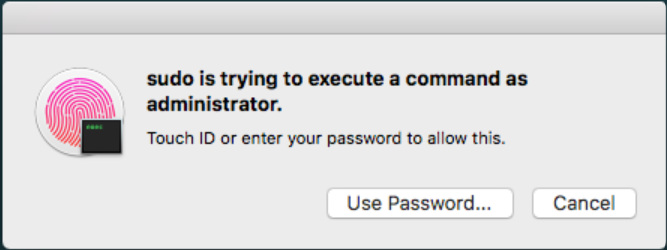
If you see this dialog with only a Password option then check below for more things you can do.
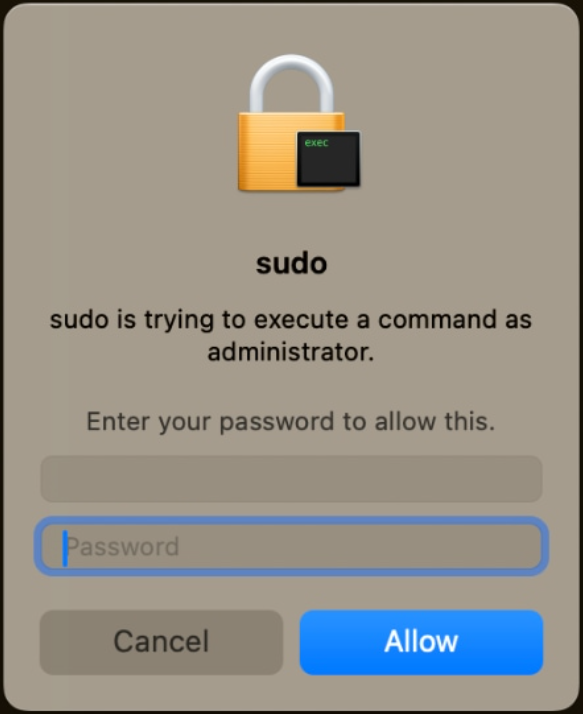
DisplayLink
If you are using DisplayLink then you will need to enable permissions or you will not see the Touch ID option.
defaults write com.apple.security.authorization ignoreArd -bool TRUE
tmux
If you are using tmux then you need to add pam_reattach for sessions to automatically work. The README.md is excellent. Using brew and the Apple M1 or M2 requires some additional steps they mention.
brew install pam-reattach
iTerm2
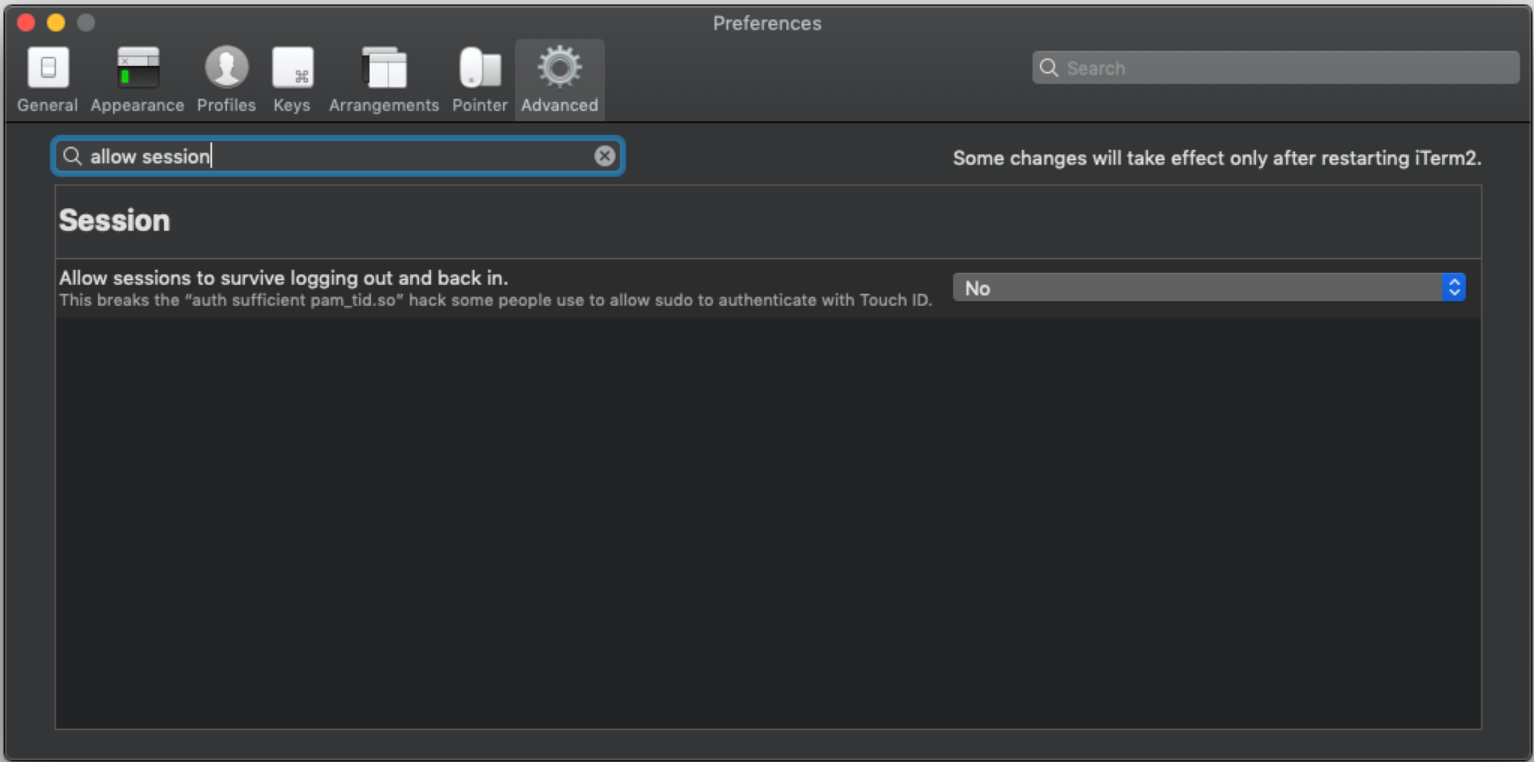
Touch ID on Mac in iTerm has some configuration settings that you will need to change. iTerm2 -> Preferences -> Advanced -> (Goto the Session heading) -> Allow sessions and change from “Yes” to “No”.
Reference
The excellent posts from sixcolors by Dan Moren
- In macOS Sonoma, Touch ID for sudo can survive updates for macOS Sonoma and later.
- Quick Tip: Enable Touch ID for sudo before macOS Sonoma.
Touch ID on Mac in iTerm had useful information needed.